GeoDetectit — field mapping and documentation for metal detectorists
Plan search areas, track GPS in the field, document finds with photos, and keep your detector data portable and private.
Built by detectorists, for detectorists. Built for serious field work: planning, tracking, documentation, export and local control over your own data.
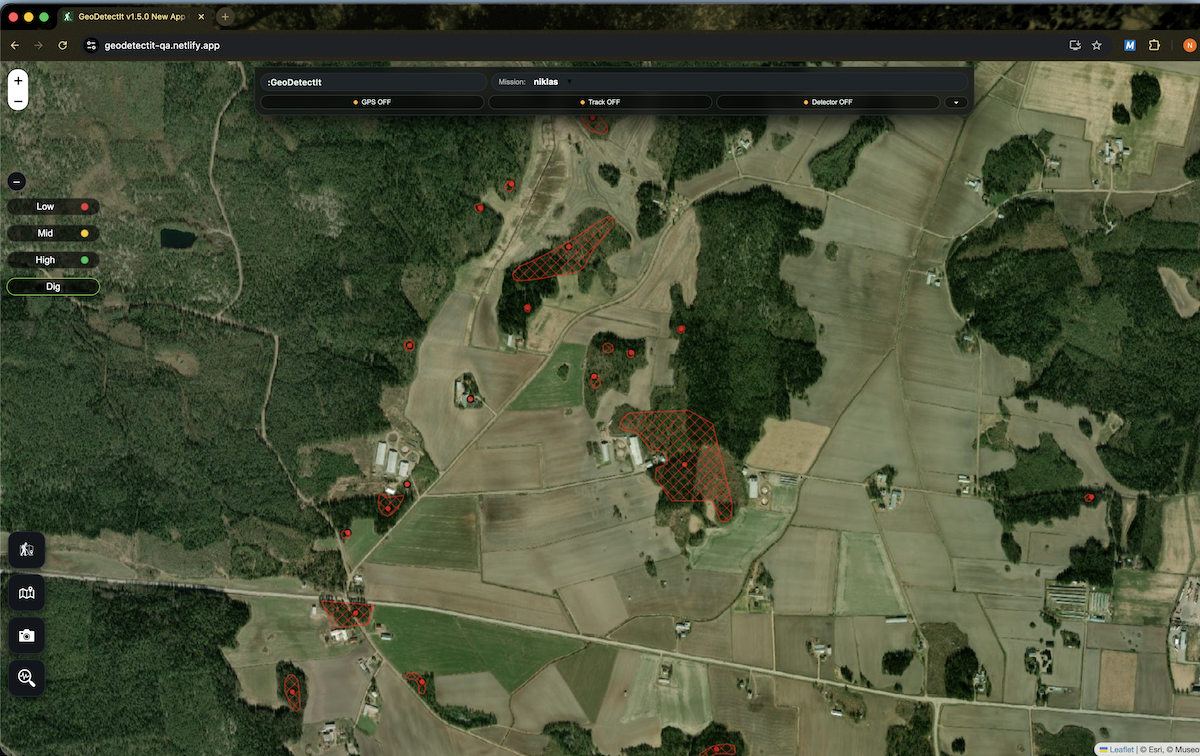
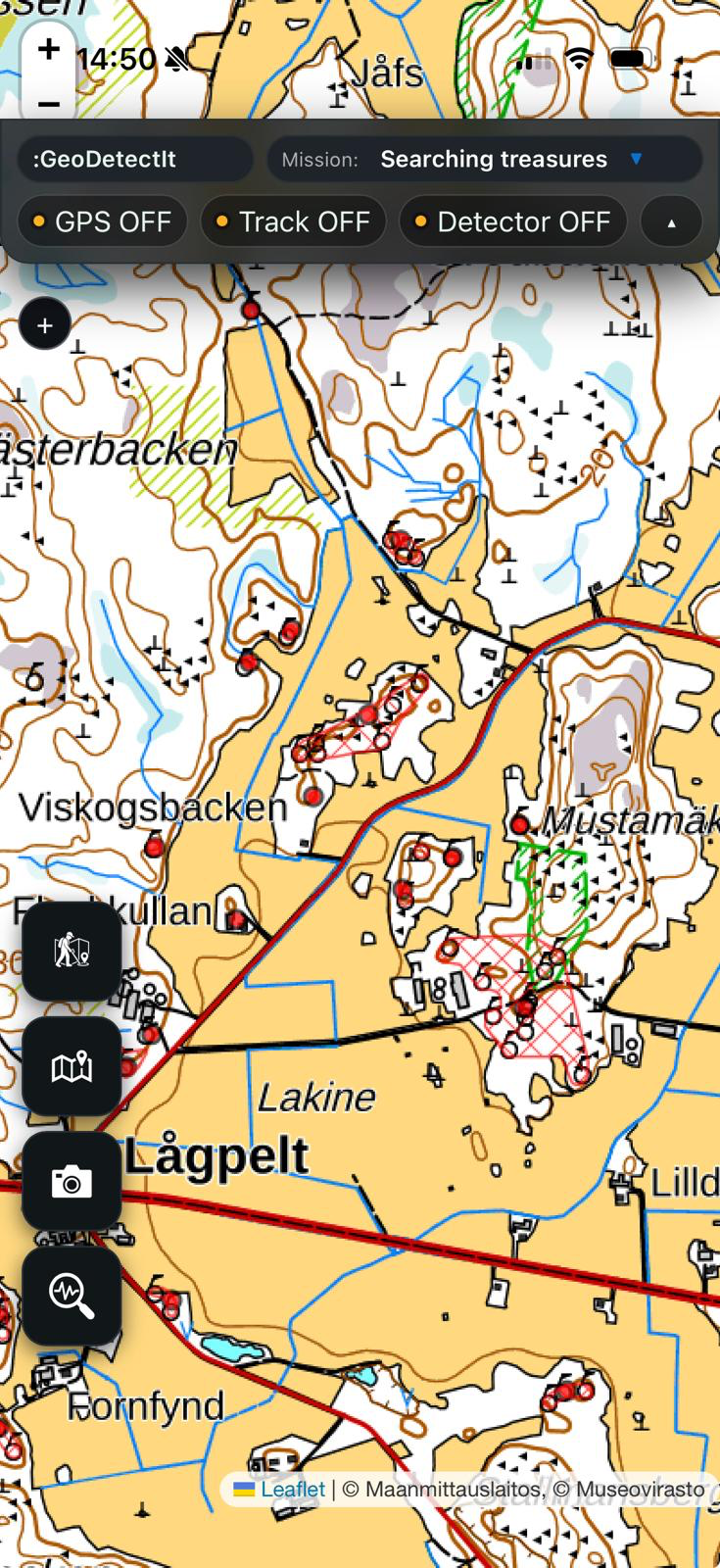
See GeoDetectit in the field
From planning and searching to documentation and analysis.
Watch GeoDetectit in Action
See how a lost cottage site was located using historical maps, LiDAR and field planning.
The problem
Many detectorists still work across memory, screenshots, notes and multiple map services.
- the same ground gets searched twice
- promising areas are lost between sessions
- several map apps and websites are needed to check different map layers
- photos and notes become separated from location
- analysis and reporting become messy
The solution
GeoDetectit brings mapping, tracking, finds and documentation together in one workflow.
- missions for each site or area
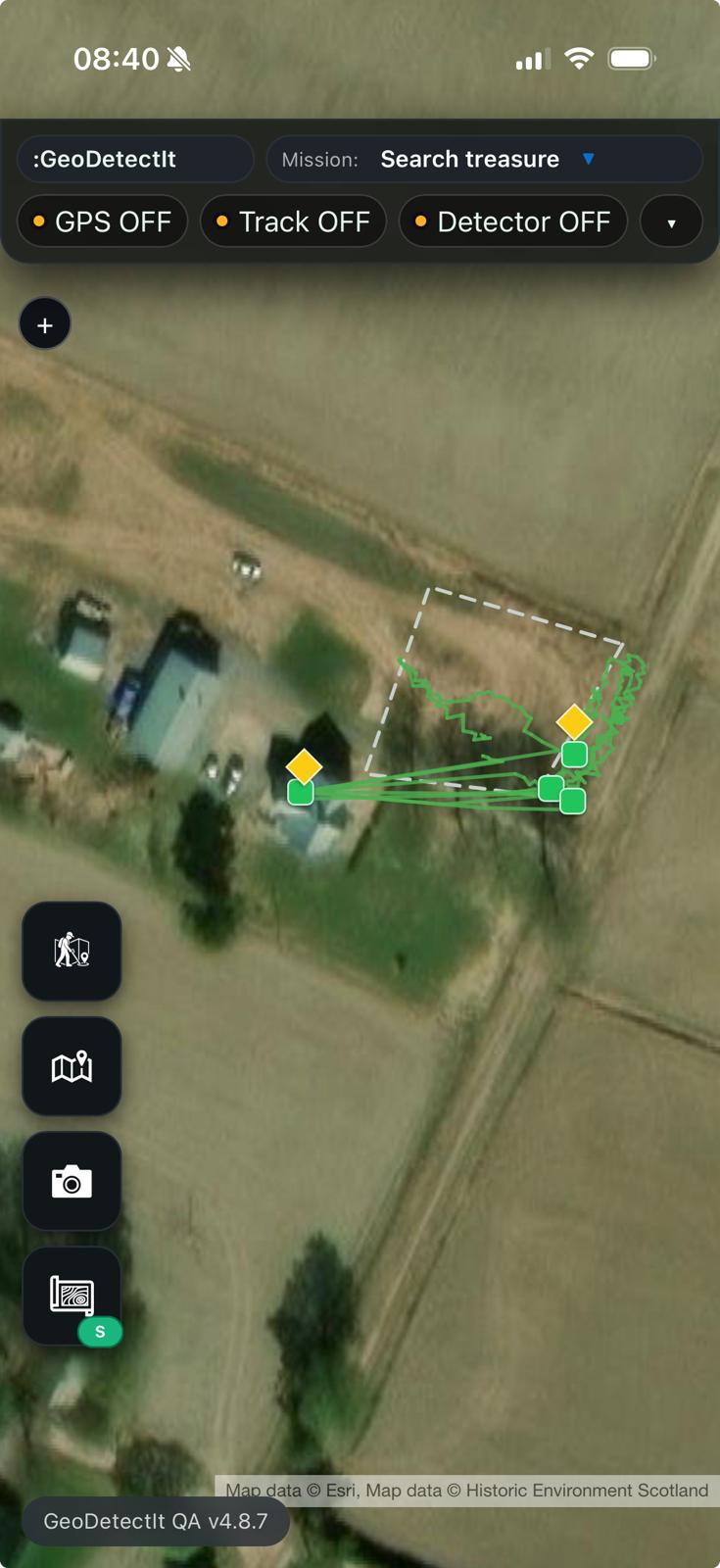
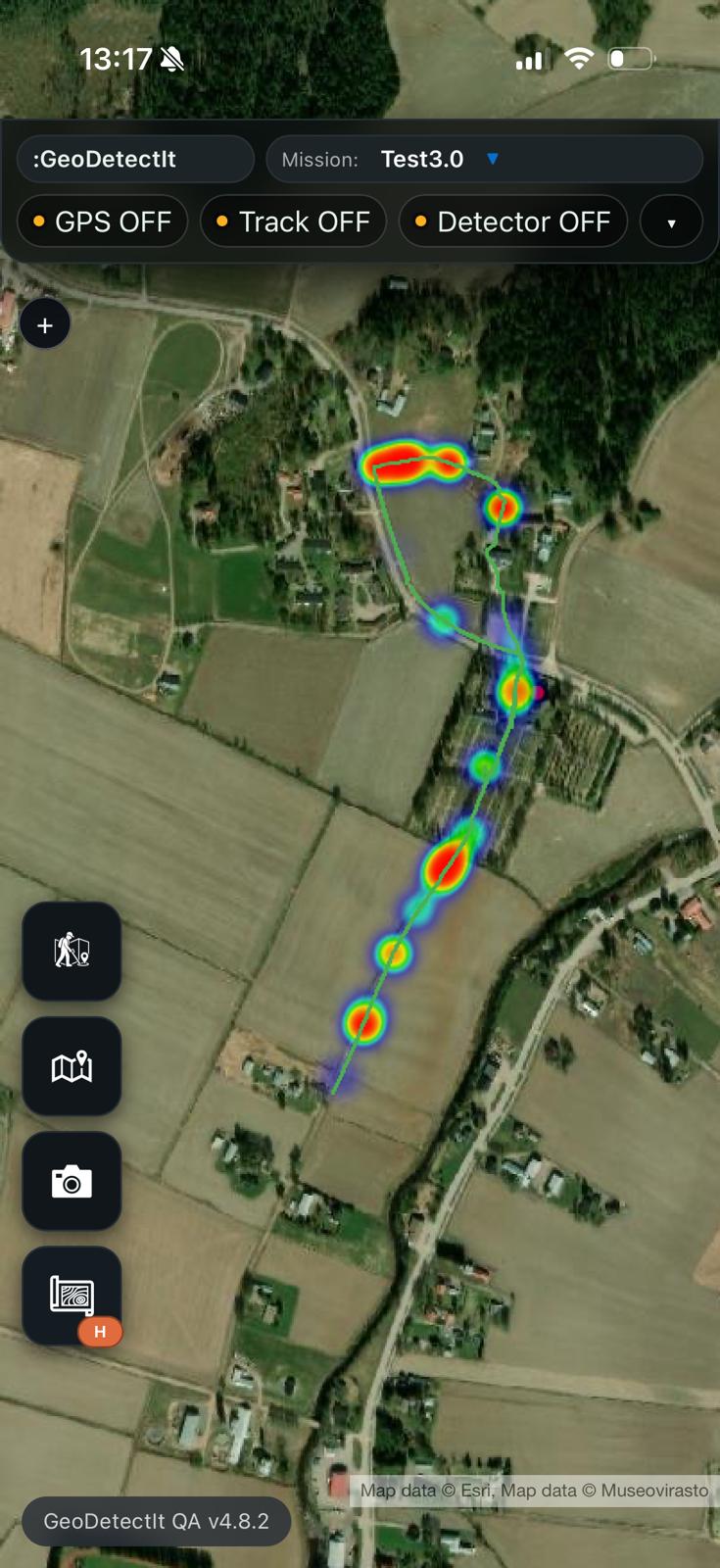
- GPS tracks and better coverage control
- find logging and geotagged photos
- export to GeoJSON, GPX, KML and ZIP
Use cases
GeoDetectit supports planning, tracking and documentation for detector fieldwork. Explore the main workflows below.
Metal detecting app
A structured field tool for planning search areas, tracking GPS routes and documenting finds in one workflow.
GPS tracker for detecting
Track your search routes, analyse coverage and revisit promising areas with clearer map context.
Detecting find logbook
Document finds with photos, notes and geotagged locations so your field history stays structured.
Offline field documentation
Record detector fieldwork without relying on constant connectivity. Data stays local and portable.
Core features
GeoDetectit brings the essential parts of detector fieldwork into one tool: missions, GPS, map layers, find documentation and portable export.
Missions
Organise each field, site or search area as its own mission and continue over multiple sessions.
GPS tracking
Record where you walked and build better field coverage instead of guessing next time.
Find documentation
Log signals, findings and notes in a more structured way directly in the field.
Photos
Attach geotagged photos to your missions and markers for a stronger field archive.
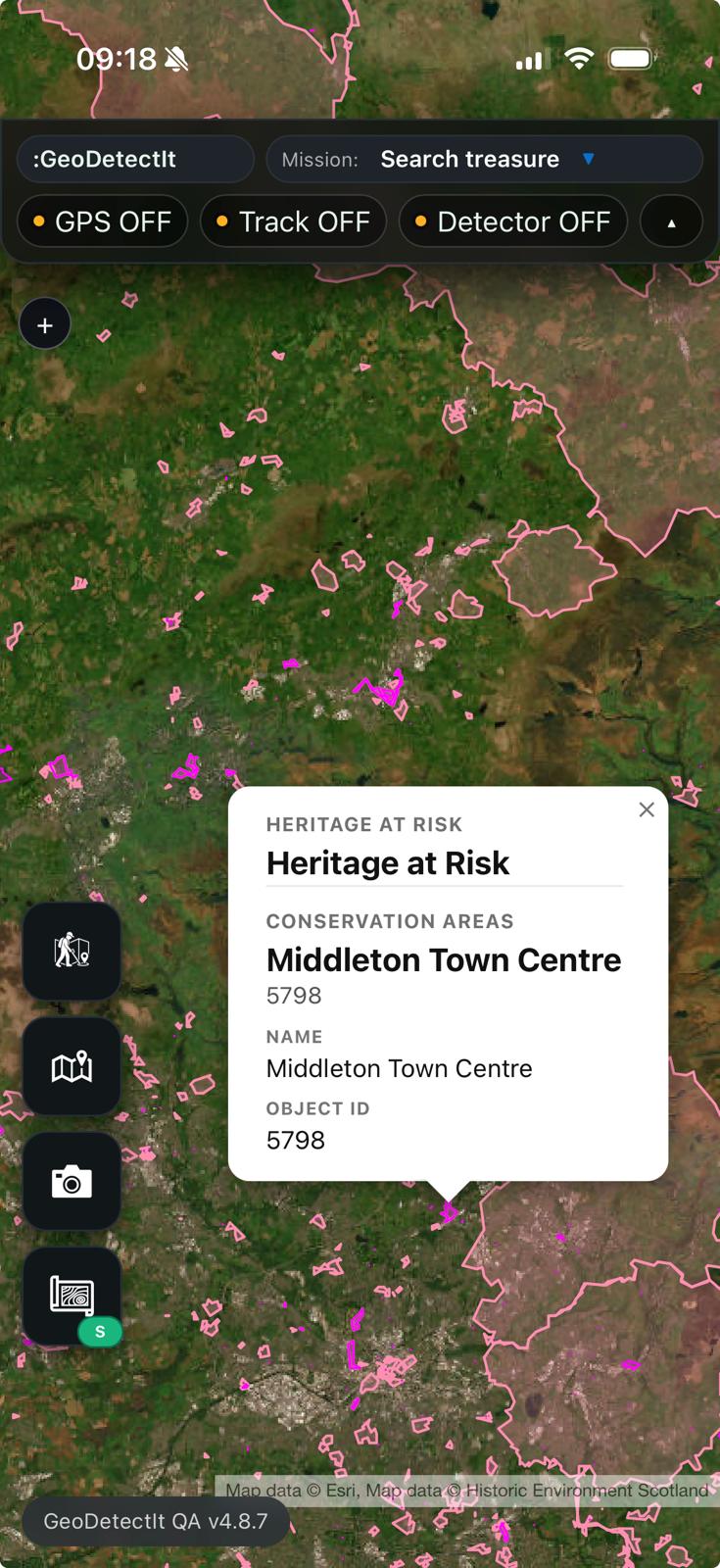
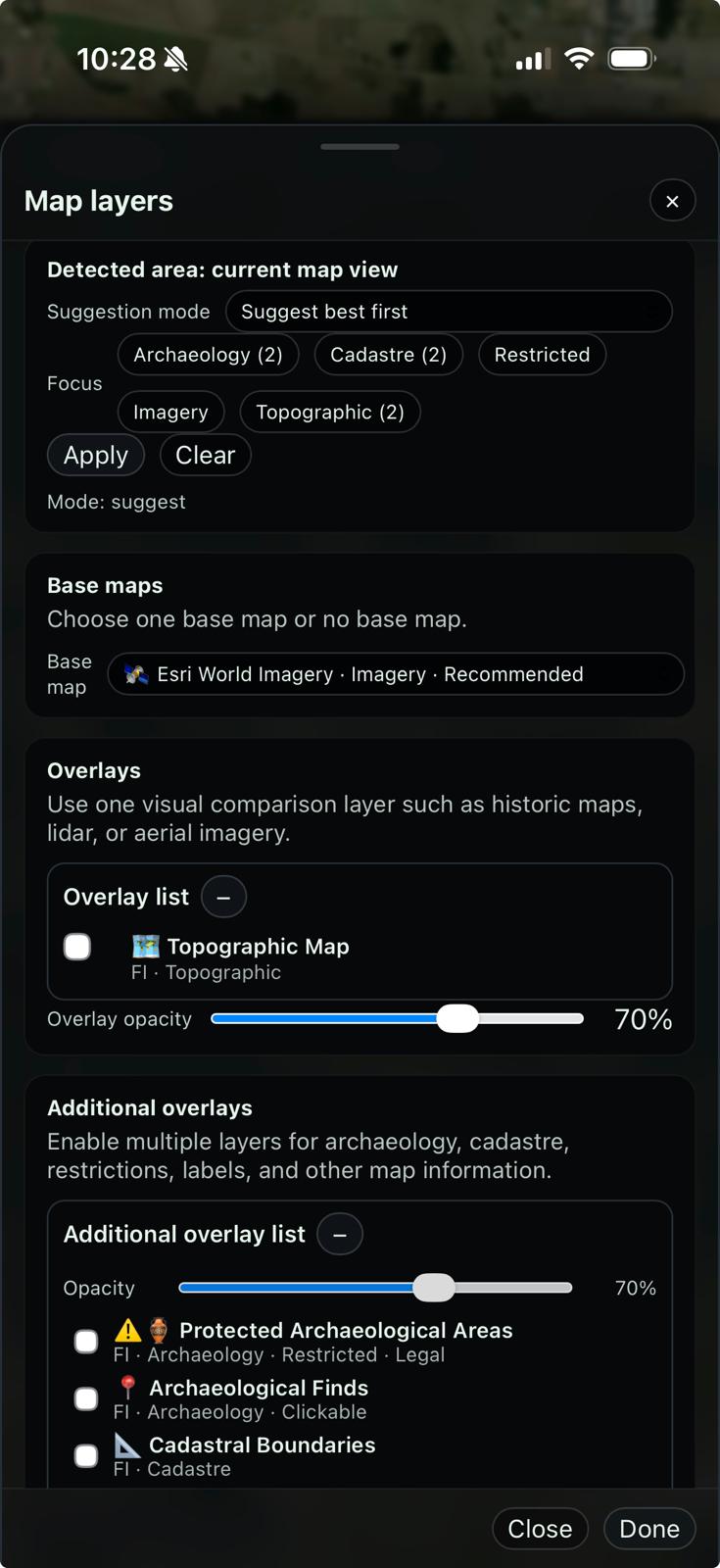
Advanced map layers
Use topo maps, orthophotos, protected heritage layers and regional overlays in one place.
Export & backup
Export to GeoJSON, GPX, KML or ZIP so your work stays portable and under your control.
Works with any detector that provides an audio signal
GeoDetectit is designed to work with any metal detector that can output an audio hit signal. That means the app is not tied to one specific brand or model.
- Works across brands as long as the detector provides an audio signal for hits.
- Detector audio can be connected through 3.5 mm, 6.3 mm with adapter, USB audio solutions or a Bluetooth receiver.
- Signal levels and tone behaviour can vary between detectors, so calibration may differ by model.
- The key requirement is getting a usable detector audio signal into the phone.
Different detectors, different signal behaviour
Different detector brands and models can produce different audio levels, tones and timing. Because of that, signal registration may need calibration depending on your detector and connection method. The important part is getting the detector audio into the phone in a reliable way.
Built differently
Offline-first
Made for field use, not constant connectivity.
Privacy-first
Your data stays on your device unless you decide otherwise.
Open and portable
Export in standard formats for GIS, archive and reporting.
Relevant map layers in one place
GeoDetectit is designed to reduce the need to switch between several map services just to understand terrain, protected heritage areas and regional context.
Example: Finland
- MML topographic maps
- orthophotos
- cadastral boundaries
- Museovirasto protected heritage areas
Community-driven regional layers
Users can help identify which layers matter most in each region, so the app can gather the right information in one place.
Screens from the field
From planning and tracking to photos, documentation and export
Upgrade to GeoDetectit Field
Unlock advanced maps, unlimited missions, export, backup and with GeoDetectIt Field.
- unlimited missions
- export & ZIP backup
- advanced map layers
- detector profiles
- up to 3 devices
- more structured field workflow
FAQ
Can I use it offline?
Yes. That is one of the core design principles.
Can I export my data?
Yes. GeoDetectit supports open formats such as GeoJSON, GPX, KML and ZIP.
Can I use it with any detector?
It is designed to work with detectors that provide an audio signal, via mic or cable depending on setup.
Start detecting with more structure
Open the field app and build a more reliable workflow for planning, tracking and documentation.