Relevant map context in one workflow
GeoDetectit is designed to reduce the need to switch between several map services just to understand terrain, imagery, archaeology, protected heritage areas and regional context. Instead of collecting screenshots, tabs and separate websites, the goal is to bring useful layers into one field workflow.
Focus: terrain → overlay → context → decision
Built for real field decisions
This is not a generic map catalogue. The focus is on combining the right layers to support real decisions in the field.
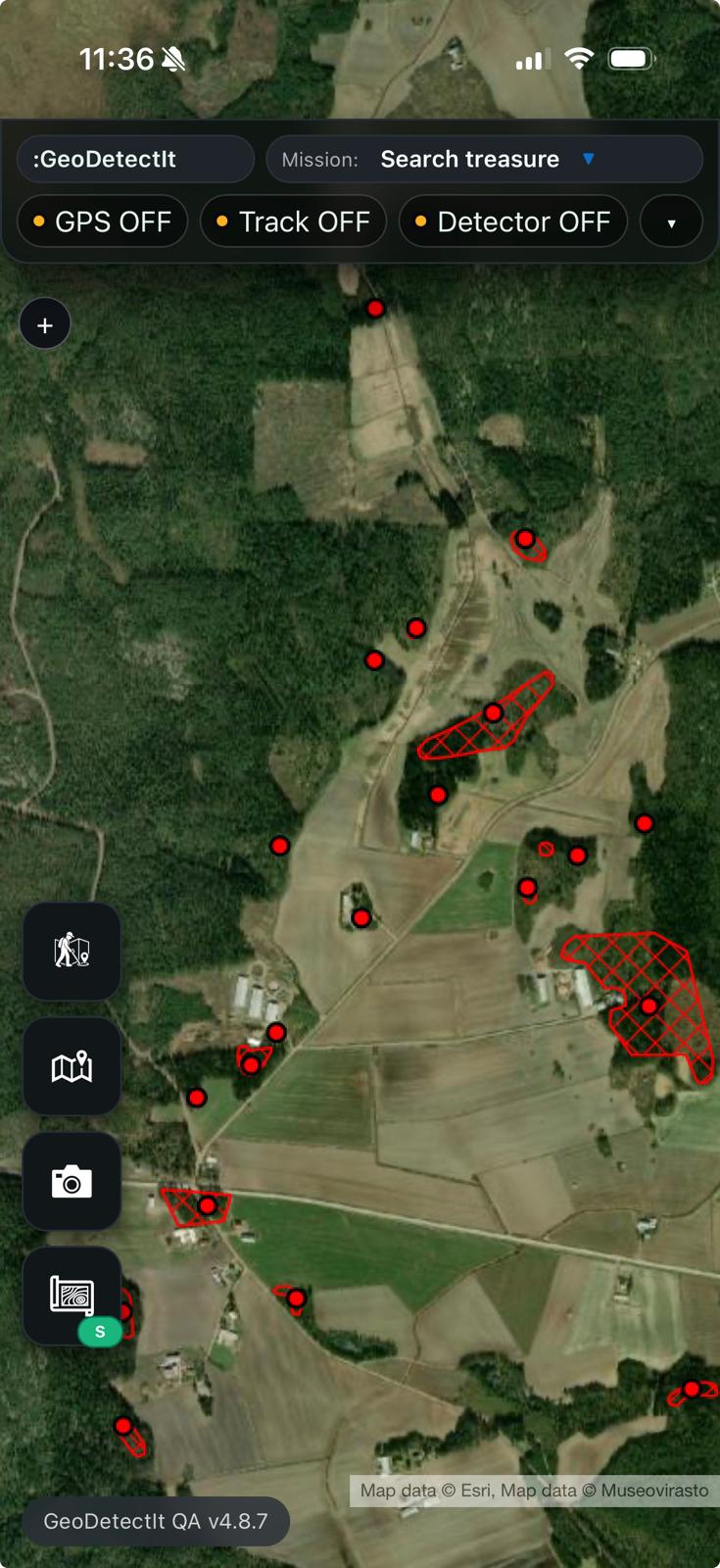
Instead of switching between multiple map services, GeoDetectit brings terrain, imagery and contextual layers together — so you can compare, understand and act in the same view.
Why map layers matter in metal detecting
Good field decisions rarely come from one map alone. Detectorists often need to compare terrain, imagery, cadastral structure and heritage restrictions before and during a session.
- topographic maps help with relief, access and orientation
- orthophotos help reveal traces, boundaries and land use patterns
- cadastral layers help understand parcels and field structure
- protected heritage layers help avoid restricted or sensitive areas
- regional overlays can add local knowledge that general maps miss
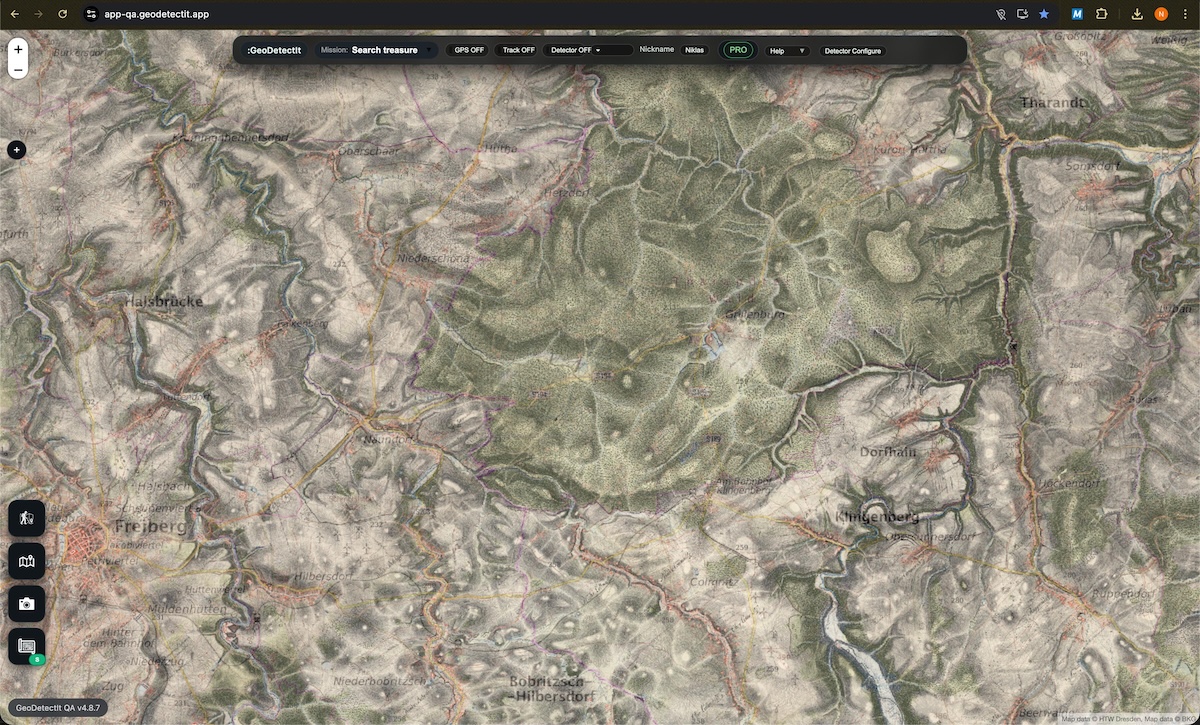
Historic maps can reveal field structures and patterns no longer visible today.
What the advanced map layer system is trying to solve
This is not about replacing the entire workflow — it is about solving one specific problem: how to access and combine the right map layers in one place.
In practice, detectorists often switch between 2–4 different map apps and websites just to understand terrain, archaeology and restrictions. The advanced map layer system in GeoDetectit brings these layers together, so you can compare and use them directly in the same view.
- less switching between map services
- clearer understanding of which layers matter in the current area
- one structured place for basemap, overlay and additional overlays
- better continuity between map comparison and field use
Suggested layers from the current map area
GeoDetectit can suggest relevant layers based on the current map view, making it easier to start with the most useful sources instead of guessing which authority or region matters first.
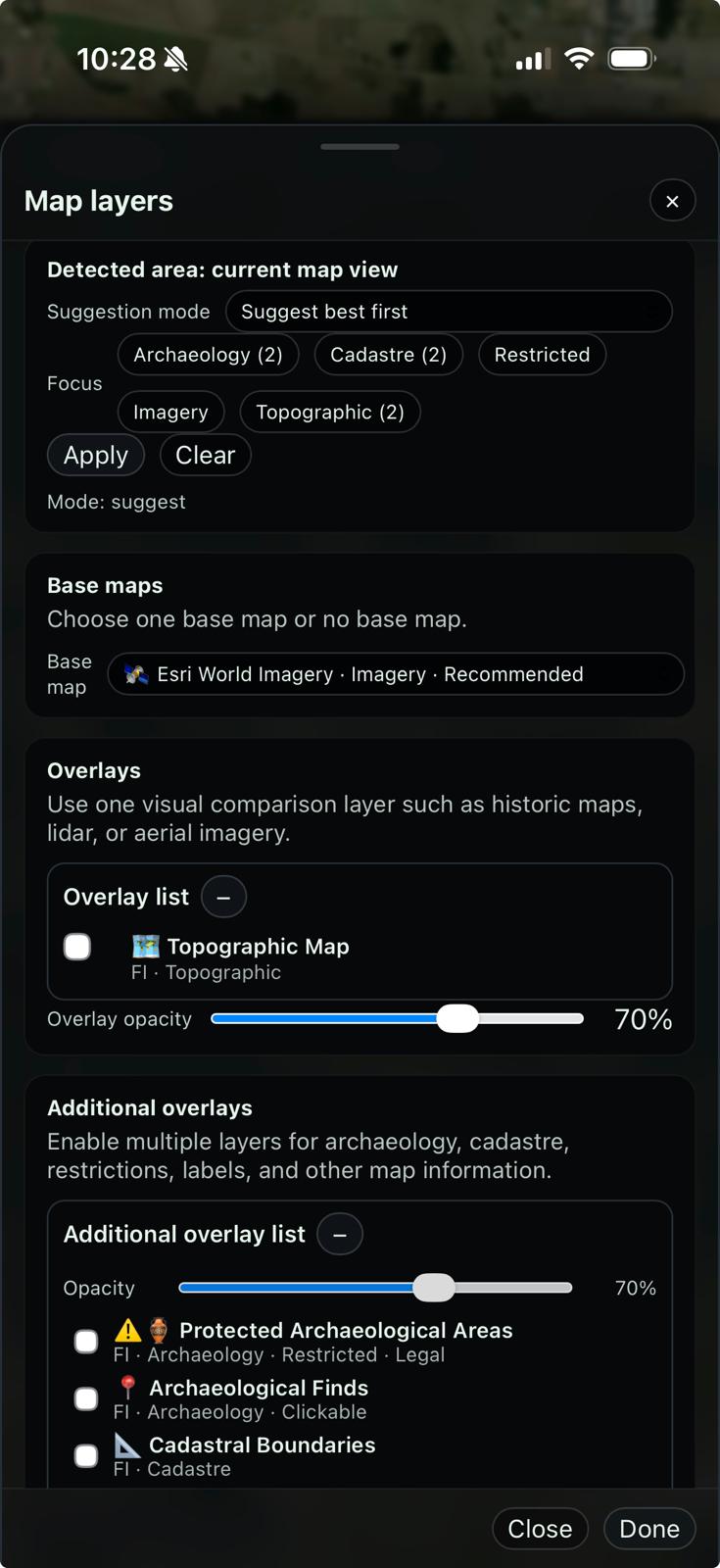
Basemap, overlay and additional overlays
Different map sources serve different roles. The real value comes from how they are combined in a structured way.
- Basemap: your foundation for navigation — terrain, roads, elevation and general orientation.
- Main overlay: one visual comparison layer at a time, such as lidar, historic maps or aerial imagery.
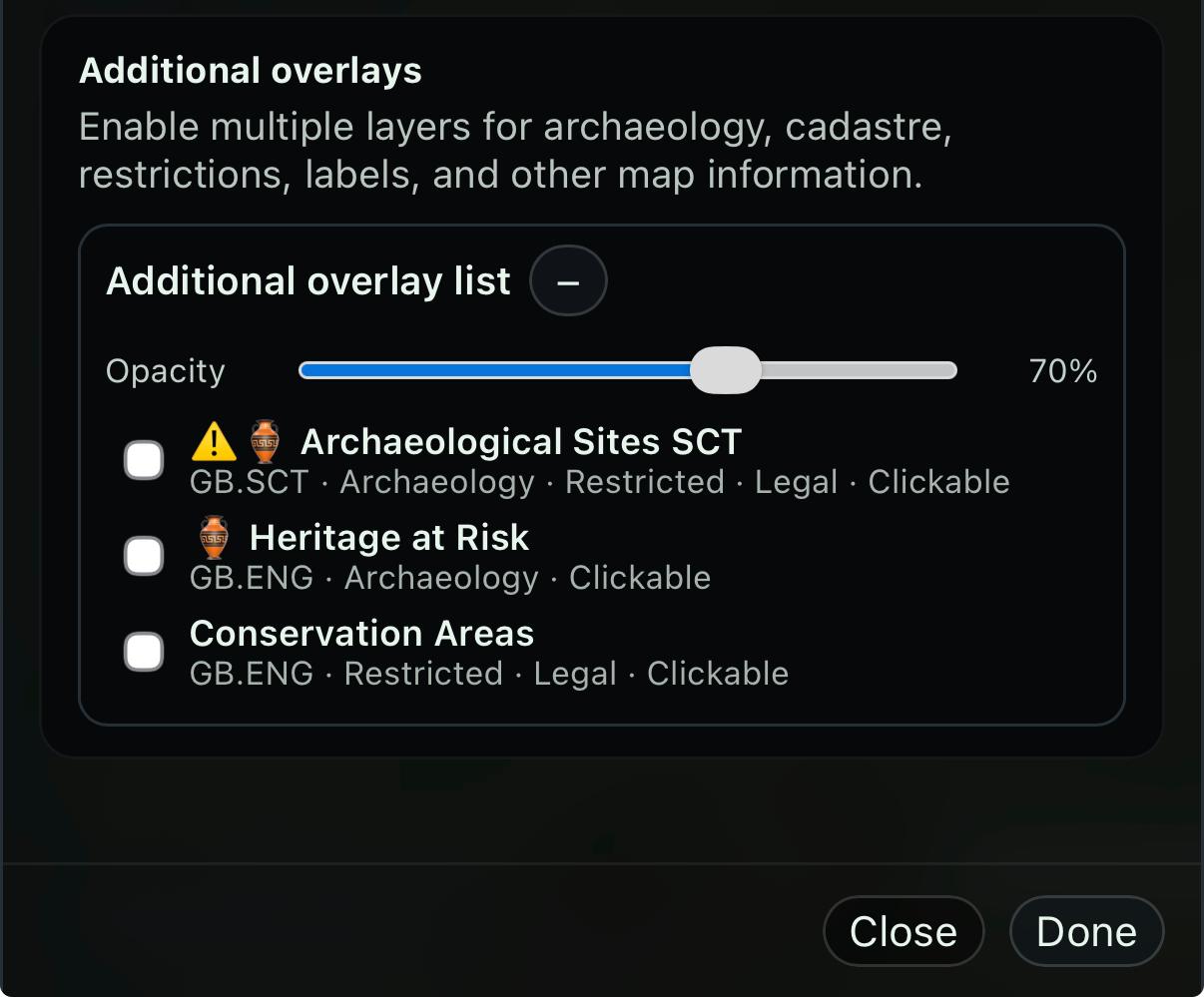
- Additional overlays: supporting context like archaeology, cadastral boundaries, restrictions and labels.
A practical workflow is to first understand the terrain, then compare with one overlay, and finally add supporting layers to confirm or exclude areas.
This makes it easier to move from exploration to decision-making in the field.
Clickable layers where they add value
Some layers can also return feature information directly inside the app, helping the user understand what a protected area or archaeological object actually represents.
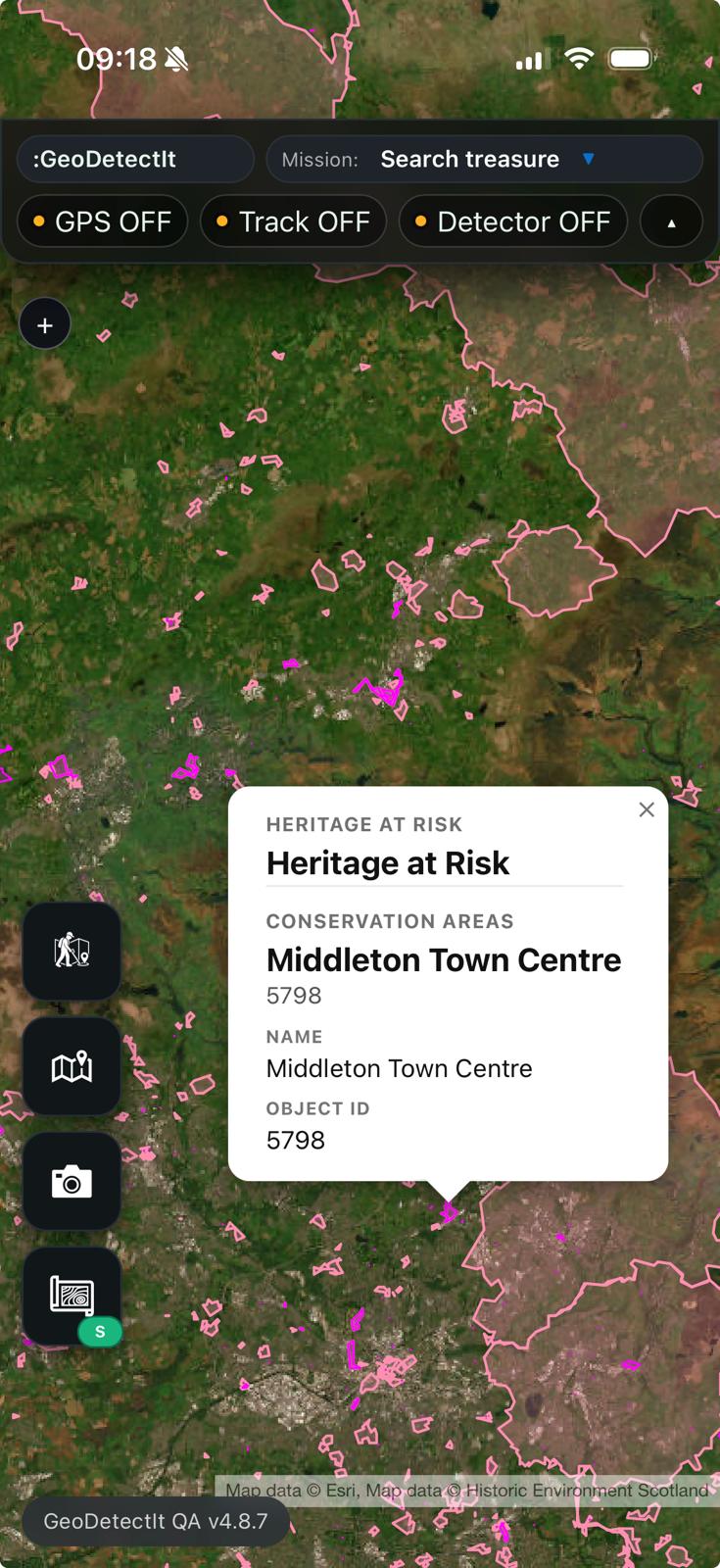
Examples of what is possible
GeoDetectit already supports several common map service technologies, making it possible to integrate relevant layers from different sources.
- WMS: authority-hosted heritage and restriction layers
- WMTS: fast terrain, imagery and tiled services
- ArcGIS: regional and national datasets
- Tile layers: basemaps and imagery support
Examples by region
The right layer combination is often local rather than global.
- Finland: terrain, orthophotos, cadastral context and archaeology
- England: conservation and heritage overlays
- Scotland: archaeology and scheduled monuments
- Other regions: lidar, historic maps and restrictions where available
What different layers help you see
- Lidar / terrain: hidden structures like roads, terraces and foundations
- Historic maps: past land use, settlements and boundaries
- Orthophotos: soil marks, crop patterns and subtle variations
- Cadastral: parcel boundaries reflecting historical land use
- Archaeology & restrictions: known sites and protected areas
Together, these layers help you both identify promising areas and avoid restricted or unsuitable ground.
Pro tip: learn patterns, not just points
Instead of only looking at known archaeological sites, try to understand why they are located where they are.
- look at elevation and slope (lidar / terrain)
- compare with nearby water, ridges or old routes
- check historic maps for past settlements or land use
- observe how known sites are positioned in the landscape
When you start seeing these patterns, you can begin to identify new locations that fit the same logic — places that might show up on future archaeological records.
Important note
Not every layer is available in every country or every region. Layer availability depends on public data sources, practical relevance, technical compatibility and what users actually need in the field.
Use map context as part of a better field workflow
Open GeoDetectit and combine relevant map layers with missions, GPS, photos and documentation.